BetPKR OTP Not Received? Check Registered SIM, Network and Request Limits
Waiting for a BetPKR OTP becomes frustrating when the login or password-reset screen will not move forward. The first reaction is often to tap Resend OTP several times. That can make the situation worse: every new request may replace the previous code, and repeated attempts may trigger a temporary restriction.
Start with the registered SIM and phone network. An OTP is normally sent to the mobile number attached to the account, not simply to whichever SIM is currently inside the phone. If that number is inactive, entered incorrectly or unable to receive service messages, refreshing the app will not solve the problem.
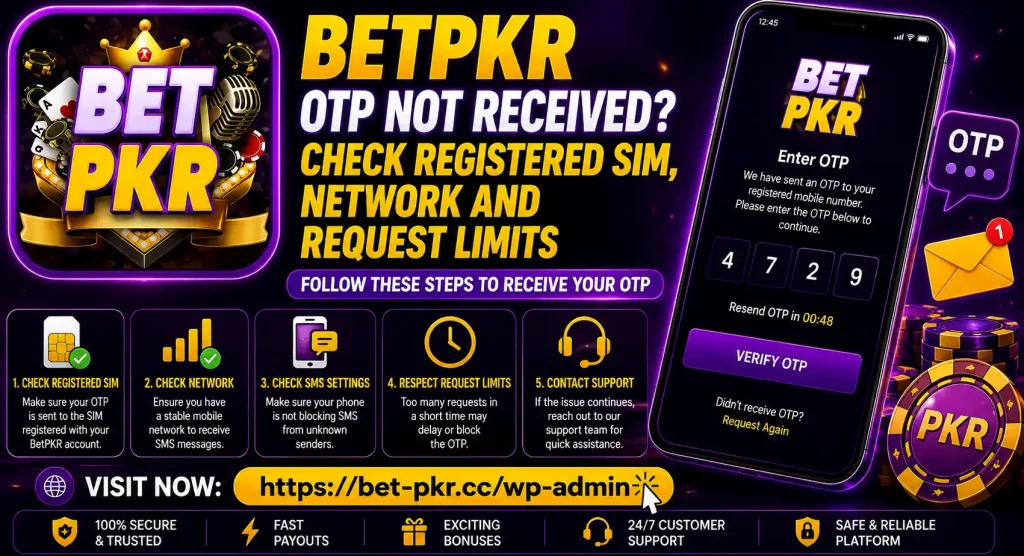
Quick BetPKR OTP Checklist
Check these items before requesting another code:
| Check | What to confirm |
| Registered number | The number entered is the one connected to the account |
| SIM status | The SIM is active and can receive ordinary text messages |
| Mobile signal | The phone has stable network coverage |
| SMS storage | The inbox has space for new messages |
| Message filtering | Spam, blocked and archived folders do not contain the code |
| Request timing | Enough time has passed since the previous request |
| Latest code | You are entering only the most recently requested OTP |
| Website or app | You are using the correct BetPKR login or recovery screen |
Do not uninstall the application at this stage. Reinstallation can remove the saved session and create another login problem without improving SMS delivery.
Confirm That You Are Using the Registered SIM
An account may have been created months ago with a different number. Some users later change their SIM, move it to another phone or forget which number was used during registration. The OTP will still go to the number stored on the account.
Check the masked digits shown on the verification screen, if available. If they do not match your current number, do not create a second account to bypass the problem. Multiple accounts can complicate identity, bonus and payment checks.
If the registered SIM is in another phone, check that device. If it has been lost, blocked or permanently deactivated, use the account-recovery or support method displayed on the website. The existing BetPKR password recovery article covers password problems, but losing access to the registered number may require a separate ownership check.
Check Mobile Signal and SMS Service
A working internet connection does not prove that SMS service is working. Wi-Fi can keep the BetPKR app online even when the SIM has no mobile-network coverage.
Try these checks:
- Look for the mobile-network name and signal bars.
- Send an ordinary text message or ask someone to send one to you.
- Turn airplane mode on briefly, turn it off and wait for the SIM to reconnect.
- Restart the phone once if the network remains stuck.
- Move to a location with better coverage.
- Check whether the SIM has been temporarily blocked or expired.
If regular messages are also missing, the issue is more likely connected to the SIM or network provider than the BetPKR account.
Dual-SIM Phones Can Cause Confusion
Many phones in Pakistan use two SIM cards. The number shown as the default for calls or mobile data may not be the registered BetPKR number. Open the SIM settings and confirm that the correct card is active.
You do not normally need to make the registered SIM the default mobile-data SIM just to receive a text. It does, however, need to be switched on, connected to its network and capable of receiving SMS. If one SIM is not appearing at all, reseat it only after switching off the phone.
Look in Spam, Blocked and Archived Messages
Android messaging apps can filter automated or short-code messages. The OTP may arrive without appearing in the main inbox.
Check:
- Spam and blocked folders
- Archived conversations
- Unknown-sender filtering
- Recently deleted messages
- Third-party SMS-filtering or security apps
- Whether the sender was blocked accidentally
Temporarily disabling an aggressive message filter may help with diagnosis, but do not turn off general phone security or install an unknown SMS application.
Stop Requesting Codes Repeatedly
Repeated OTP requests can create two problems. First, the platform may temporarily limit new requests to protect the account. Second, an older code may become invalid as soon as a newer one is generated.
There is no verified universal waiting period or fixed request limit that applies to every BetPKR version. Follow the countdown or message shown on the screen. If no timer is displayed, wait for the current request to finish instead of tapping the button continuously.
When several codes arrive together, use only the newest one. Delete or ignore earlier messages so that they are not entered by mistake.
Make Sure the Number Format Is Correct
A typing error during login or password recovery can send the request to the wrong number. Check every digit before pressing the OTP button.
Use the phone-number format requested by the form. Do not add or remove the Pakistan country code unless the screen specifically requires it. Avoid spaces, dashes and copied characters that the form may not accept.
If the number is already masked on the screen, compare the visible first and last digits with your registered SIM.
Check the Phone’s Date and Time
An incorrect device clock may affect time-sensitive verification screens. Set the date, time and time zone to automatic, close the app and open the verification page again.
The OTP itself may expire after a limited period, but the exact validity window should be taken from the active screen or SMS. Do not rely on a timing estimate from an old article or screenshot.
Try the App and Browser Carefully
Sometimes the SMS arrives, but the app does not update the verification screen. If the platform provides both app and browser access, you may check the same account through the other supported option.
Do not keep active OTP requests open across several devices and tabs. Request one code from one screen, wait for it and enter it on that same screen. This reduces session mismatch and expired-code errors.
Before downloading or reinstalling anything, verify the source. Different BetPKR websites publish conflicting technical details, so an APK advertised with the brand name is not automatically genuine. Use the checks in the BetPKR APK download guide.
What If the OTP Arrives but Does Not Work?
Receiving a code does not guarantee that it is still valid. An OTP may be rejected when:
- A newer code was requested afterward
- The code was entered after its expiry
- A digit was typed incorrectly
- Spaces were copied with the code
- The code belongs to a different login session
- The phone number was changed on the form
- The app was closed and a new verification session started
Return to the verification screen and check whether it is still waiting for the same request. Use the latest code once. If it fails, avoid guessing repeatedly.
When to Contact Support
Contact the support option shown inside the verified app or website when:
- The registered SIM is active but no OTP arrives after reasonable waiting
- Ordinary SMS works but service messages do not arrive
- The screen says requests are temporarily limited
- The masked number does not match your registered SIM
- You no longer have access to the original number
- The newest code is repeatedly rejected
Prepare the registered number, username, approximate time of the request, screenshot of the error and phone model. Support may need to verify account ownership, but you should not send a password, OTP, JazzCash PIN or Easypaisa PIN.
Be careful with numbers shared in comment sections, messaging groups or social-media posts. Use only the contact method available through the website or logged-in account. Review the BetPKR safety guide before sharing personal or account information.
What You Should Not Do
- Do not request OTPs continuously.
- Do not share a received code with another person.
- Do not pay someone to unlock the account.
- Do not create another account with different details.
- Do not install an OTP generator or modified APK.
- Do not give remote access to your phone.
- Do not send identity documents through an unverified chat account.
An OTP is an account-security code. Anyone who receives it may be able to perform the action you initiated. A person claiming to be support should not need the code itself.
Final Check BetPKR OTP Not Received
When a BetPKR OTP is not received, confirm the registered number before changing app settings. Make sure the correct SIM is active, test ordinary SMS, inspect filtered-message folders and stop sending repeated requests. Then follow the countdown shown on the screen and use only the newest code.
If the SIM is inactive or no longer available, account recovery is safer than creating another account. Keep your verification code private and contact support only through a channel you can verify.
BetPKR involves real-money gaming and possible financial loss. It should not be treated as guaranteed income. Only legally eligible adults aged 18 or above should use such platforms.